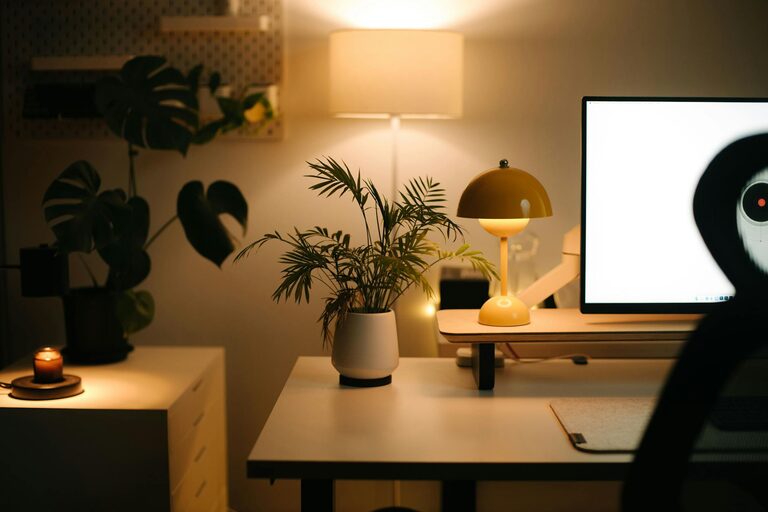





Creating a productive home workspace environment is essential for anyone working remotely or spending significant time on personal projects. A well-organised and comfortable workspace not only helps you stay focused but also improves your overall well-being. Here are some practical tips to help you set up a home workspace that encourages efficiency and keeps distractions at bay.
Choose the Right Location
The first step in creating a productive workspace is selecting an appropriate spot in your home. Consider the following:
– Quiet and Private: Pick a location away from household noise, busy areas, or places where family members often gather.
– Natural Light: Spaces near windows provide natural light, which can boost mood and energy levels. Try to set up your workspace where you get ample daylight without glare on your screen.
– Dedicated Space: Having a separate area just for work helps your brain associate that space with focus and professionalism, even if it’s a small corner or a converted cupboard.
Invest in Ergonomic Furniture
Comfort is crucial when you spend hours working at a desk. Ergonomic furniture can prevent discomfort and health issues such as back pain or eye strain.
– Ergonomic Chair: Choose a chair that supports your lower back and promotes good posture. Adjustable height and armrests add flexibility.
– Desk Height: Your desk should allow your forearms to rest comfortably at a 90-degree angle while typing. A sit-stand desk can offer movement variety during the day.
– Monitor Position: Position your computer screen at eye level to reduce neck strain. Consider monitor stands or adjustable arms.
Keep Your Workspace Organised
A cluttered environment can lead to distracted thinking and stress. Adopt habits to maintain a tidy workspace:
– Use Storage Solutions: Shelves, drawers, and organisers help keep your desk free of unnecessary items.
– Declutter Regularly: Spend a few minutes at the end of each day sorting papers, filing documents, and clearing out rubbish.
– Minimalist Approach: Keep only the essentials on your desk to maintain a clean and focused atmosphere.
Optimise Lighting
In addition to natural light, ensure your workspace has suitable artificial lighting.
– Task Lighting: A desk lamp with adjustable brightness helps reduce eye strain during darker hours.
– Avoid Overhead Glare: Position lighting to prevent reflections on your screen or harsh shadows.
Minimise Distractions
Creating an environment conducive to concentration involves reducing interruptions:
– Noise Management: Use noise-cancelling headphones or play background sounds if it helps you focus.
– Limit Phone Interruptions: Keep your phone out of sight or use ‘Do Not Disturb’ modes during work sessions.
– Clear Boundaries: Inform family or roommates of work hours to minimise interruptions.
Personalise Your Space
Adding personal touches can make your workspace inspiring and pleasant without overwhelming it.
– Plants: Small indoor plants improve air quality and add a calming natural element.
– Artwork or Photos: Select a few favourite pictures or art pieces to create a welcoming environment.
– Inspiring Objects: Keep motivational quotes or items that boost your mood within sight.
Establish a Routine
A productive workspace is only effective when paired with a consistent work routine.
– Set Working Hours: Designate fixed start and finish times to create structure.
– Take Breaks: Short, regular breaks help maintain focus and reduce fatigue. Use techniques like the Pomodoro method.
– Dedicated Workwear: Dressing for work — even casually — can mentally prepare you for the day ahead.
Utilise Technology Wisely
Technology can boost productivity but also cause distractions if unmanaged.
– Use Productivity Apps: Tools for task management, note-taking, and calendars help keep your work organised.
– Limit Social Media: Use apps or browser extensions to block distracting websites during work hours.
– Ensure Reliable Internet: A fast, stable internet connection is critical for smooth communication and workflow.
Maintain Good Air Quality and Temperature
Your physical comfort impacts productivity significantly.
– Ventilation: Keep your workspace well-ventilated with fresh air to stay alert.
– Temperature: Aim for a comfortable temperature that is neither too hot nor too cold. Use fans or heaters as needed.
– Humidity: Dry air can cause discomfort; consider using a humidifier if necessary.
Keep Hydrated and Snack Smartly
Staying hydrated and maintaining energy levels help sustain concentration.
– Water Bottle: Keep a water bottle at your desk to remind you to drink regularly.
– Healthy Snacks: Choose nutritious snacks like nuts, fruit, or yogurt to avoid energy crashes.
—
Creating a productive home workspace requires some planning and ongoing care, but the benefits are well worth it. By choosing the right location, investing in ergonomics, organising effectively, and maintaining routines, you can foster an environment that helps you do your best work from home. Remember, small changes can make a big difference in your focus and motivation. Happy working!